
Billiards Light Controls
Easy Automated Billiard Lighting using CuetPOS POS Software
Pool table lights turn on when the pool table rental is started, turn off when rental is completed.
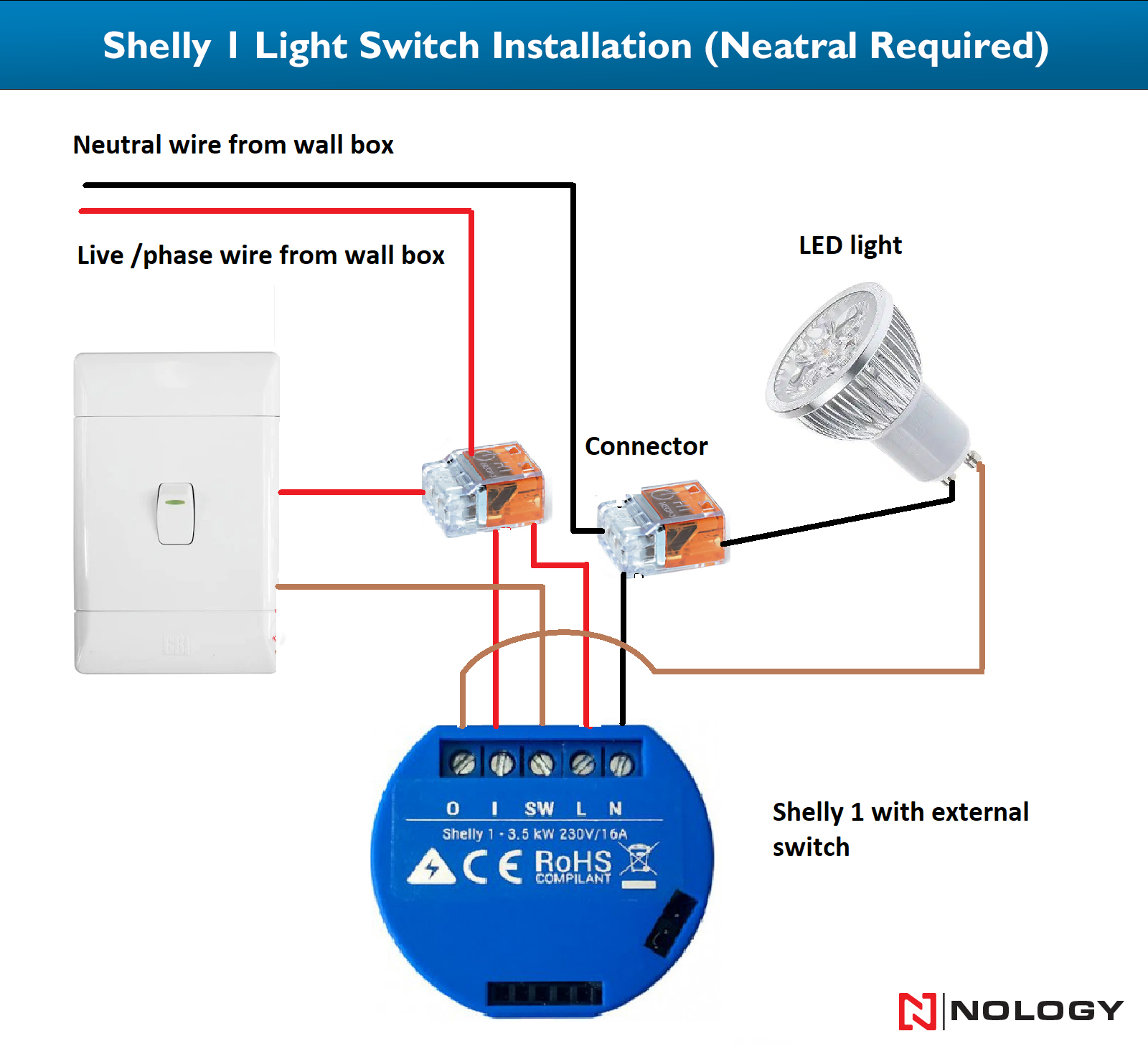
Shelly 1 Light Control diagram for billiards lights.
Question: How many options does CuetPOS POS software offer for automated light control?
Answer: CuetPOS offers several options for light control and all are extremely easy to install and use. First off, CuetPOS actually turns on and off your billiard lights automatically. This automation is provided by two different styles or models. The first is a carrier signal, known as X-10 technology, and has been around for 5 decades. This method uses the existing electrical wiring to send a signal to a module that control the on/off status of the billiard light. CuetPOS supports 4 separate controllers in the X-10 family of controllers, but we find that the Insteon 2413u is the best controller. We also utilize relays using a product called the Shelly 1, which allows for solid and dependable control of the billiards lighting.
The second style that CuetPOS uses to control billiards lighting automatically is wireless, or Wifi smart switches, which we prefer the Shelly Smart Plug US. The Shelly 1 relay can be optionally wired to an override switch for manual use. For internationally clients, we can control billiards lights using either the Shelly 1 or the Shelly Smart Switch European model as they both can operate in a 220v environment. The Shelly 1 is a relay switch that can be hard wired into your existing electrical supply. You can do this yourself, but we highly recommend using a certified electrician. The Shelly 1 can be wired with or without a backup manual override switch. See the Shelly 1 install video here. Furthermore, Shelly offers the Shelly Smart Plug for even easier installation. With the Shelly Smart Plug, you simply plug the smart plug into your outlet and the light into the smart plug, eliminating the need for an electrician to connect wires.
Question: How do I install the automatic light controls?
Answer: Unlike import light controls with offshore technical support, our billiards light controls are super simple to install and come with FREE technical support. To reiterate, our light controls for billiards and pool rooms are incredibly easy to install. The controllers and modules are designed to plug into existing outlet and your lights plug directly into the modules. The most important issue is that the controller and the light controls outlets are on the same phase, but being on the same breaker is the best choice. With LED lights, this no longer presents an issue. See light controller diagram here.
If you choose to use the wireless light controls, we can walk you through the setup in no time. The process normally takes about a minute per switch. You would just need to contact our technical support at 800-460-3525. Several light control companies are experiencing issues working with Windows 8, Windows 10 and Windows 11. CuetPOS can control lights for just about any pool room in existence, even rooms with 110V and 220V electrical systems. Many international billiard businesses and pool rooms have been moving their light controls to CuetPOS for the 220 volt integration and the increased functionality that is more than just turning on and off their lights during rental.
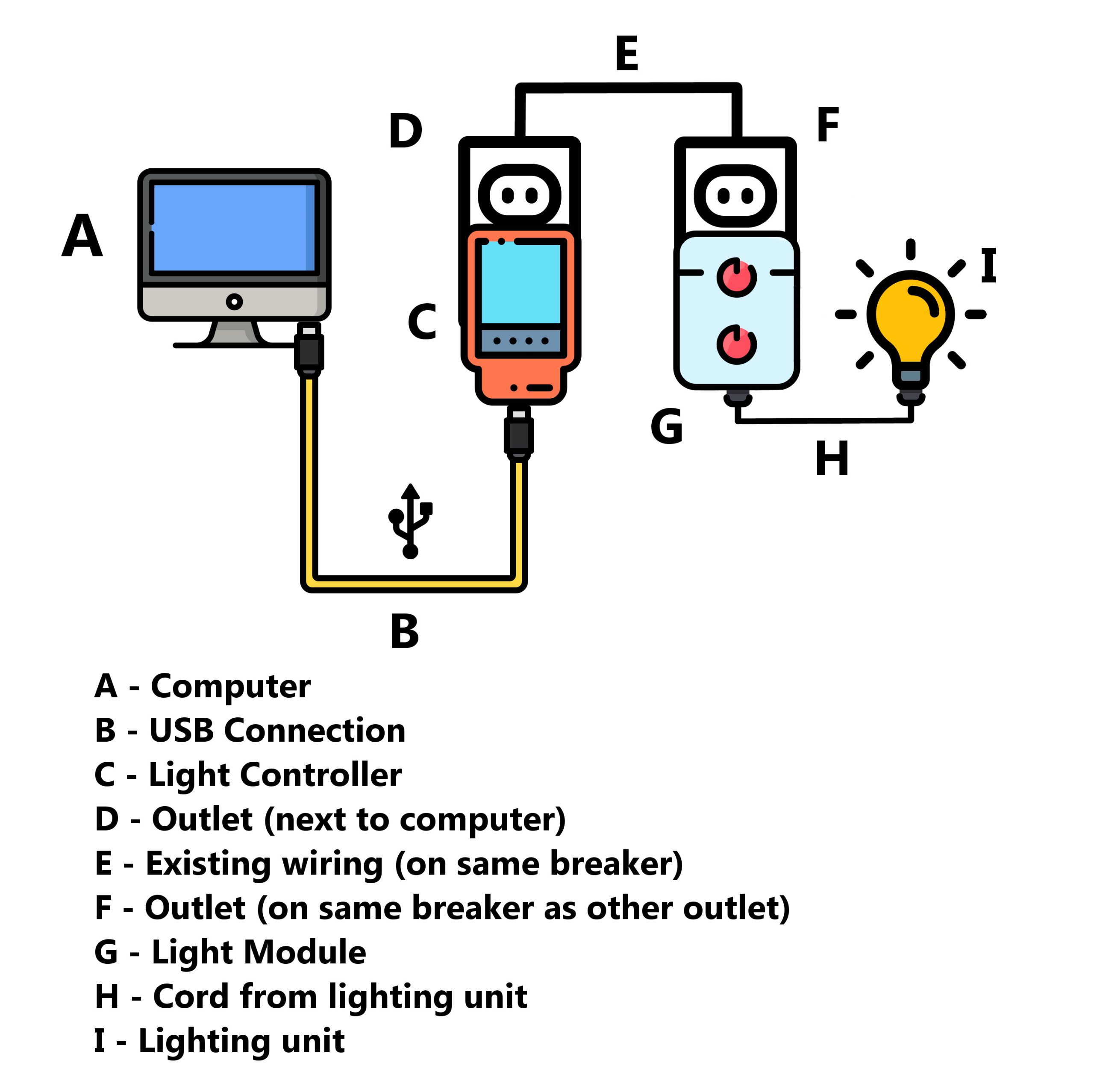
Poolroom, pool hall, billiards lighting diagram
In the past, we only used carrier signal methods to control the lights, integrating many devices and modules from the X-10 and Insteon families of products. Recently, we integrated WiFi by introducing Sonoff and Shelly switches to our list of compatible devices. If interested in if we control older devices already in your establishment, or for a full list of supported devices, please contact us at 724-602-5223.
CuetPOS can control up to 256 lights. It can dim incandescent and dimmable LED (even several type claiming that they are undimmable), turn on and off lights with table rental, and even send notifications that reserved table time is ending.
We suggest that you use lighting or appliance modules and an Insteon controller. You’ll need one (1) module per table and at least one (1) controller per room. CuetPOS can control multiple controllers simultaneously. Implementing light controls into a room is extremely simple to do.”
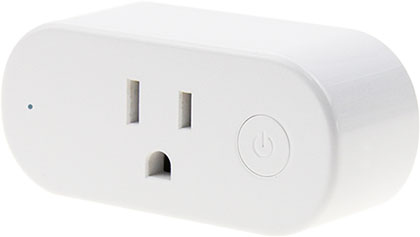
Shelly Smart Plug US for billiards light controls.
If you’re using X-10 or Insteon light conrtols, the best setup for lights is dependent upon the room layout. Sometimes pool rooms have lights on separate breakers. There are fixes for this, either using CuetPOS or using additional hardware. We highly recommend switching to the wireless light controls and LED lights. But if you have a system already in place, we retrofit to almost any older light control system.
If you need assistance installing or have questions, please contact us at 800.460.3525 domestic U.S., 724.602.5223 internationally, our contact us page or via our online support chat. We can even perform the installation for you using our online support chat.

